Adaptive Cruise Control
Interface and Operation
ACC Interface
The following depicts an overview of the controls and dashboard for the Adaptive Cruise Control system.
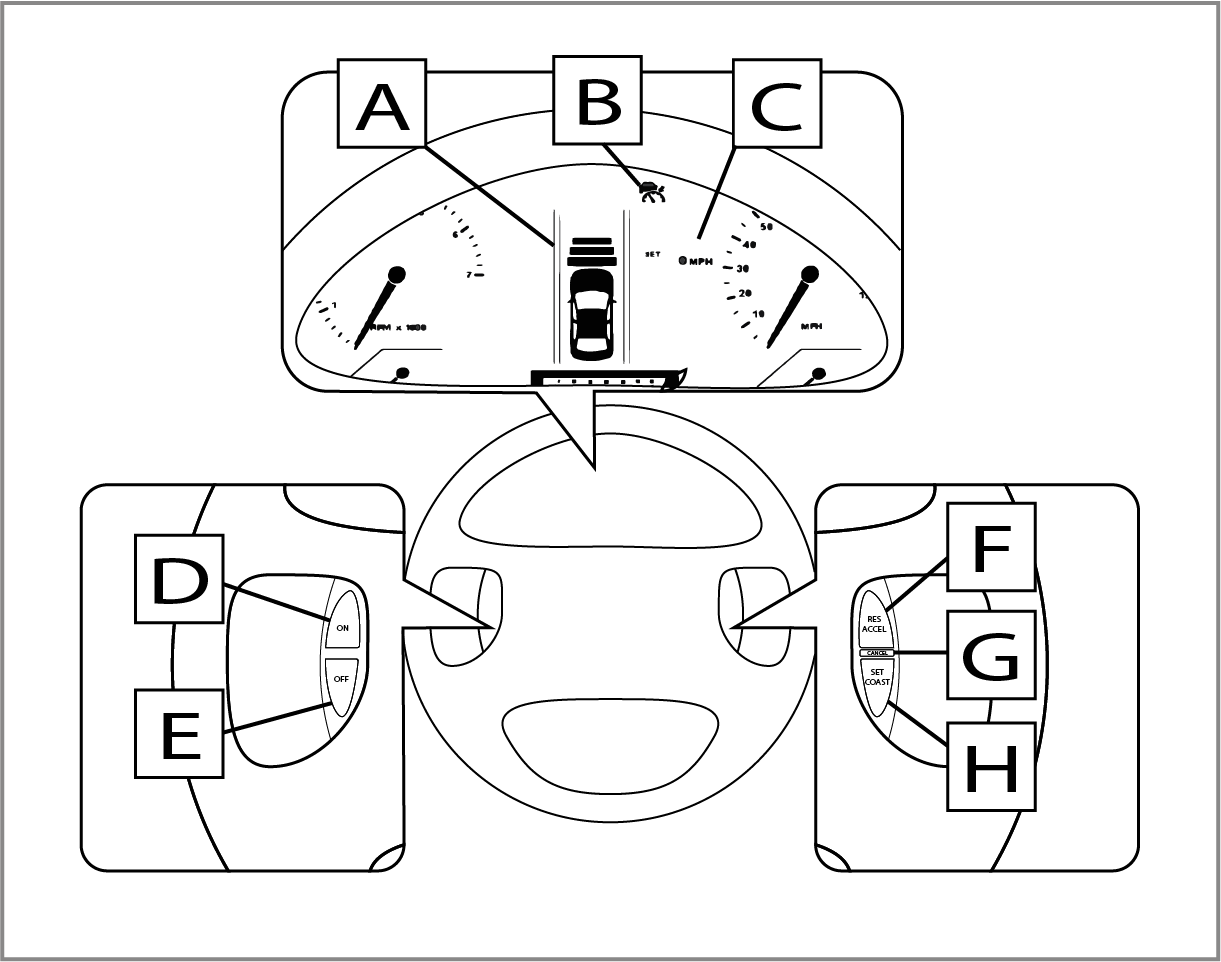
A: Vehicle-to-vehicle distance indicator
B: ACC "ON" indicator
C: Set speed
D: "ON" button
E: "OFF" button
F: "RES/ACCEL" button
G: "CANCEL" button
H: "SET/COAST" button
Turning On and Activating ACC
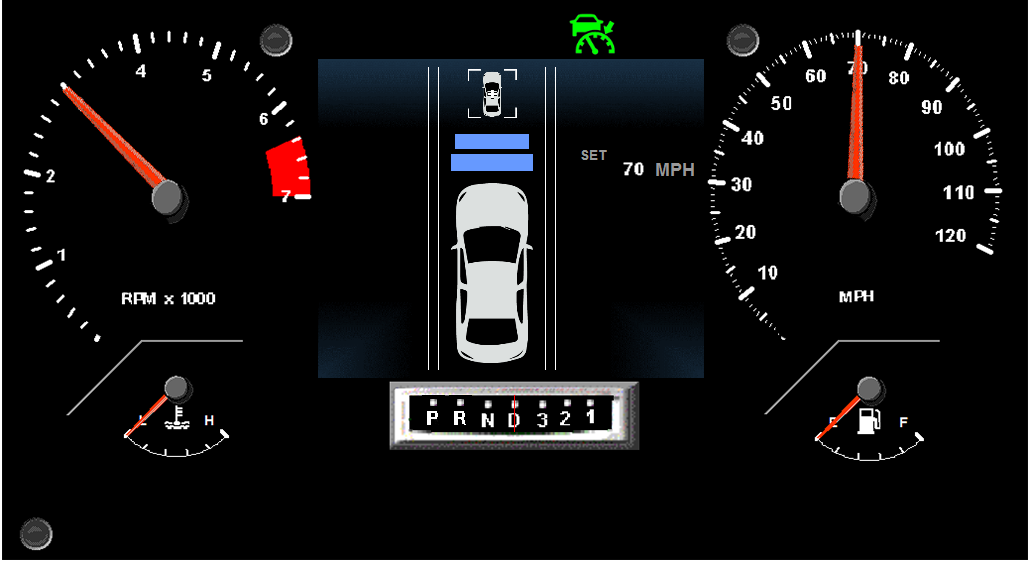
To turn on the ACC, press the ON button on the left hand-side of the steering wheel. The green ACC symbol will appear in the dashboard display once the ACC is turned on.
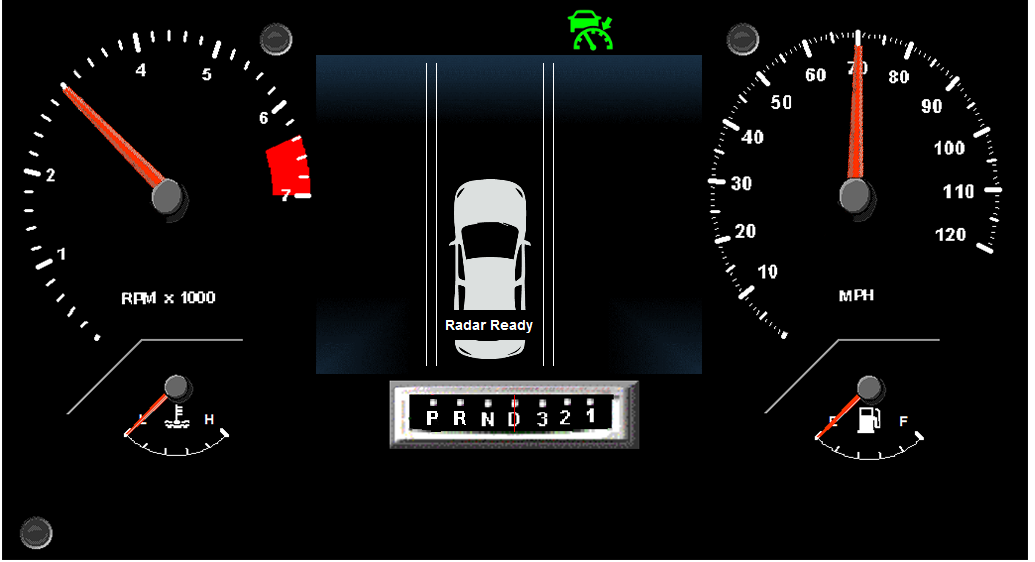
To set the cruise speed of your vehicle, accelerate to your desired speed (above 25mph), take your foot off the pedal, and press the SET/COAST button. The SET/COAST button is on the right hand-side of the steering wheel. Once you set the cruising speed, you will be able to see your set speed on the dashboard display.
Recall that the ACC will maintain a distance away from a vehicle in front of you based on your set following interval. When you turn on the ACC, your following interval will automatically be set to a “medium” following distance of about 130ft. The 2 blue bars that appear on the dashboard display once the ACC is turned on indicate your set following distance. Each bar represents a certain distance away from the vehicle ahead of you.
Once the cruising speed and following interval are set, the ACC will be active.
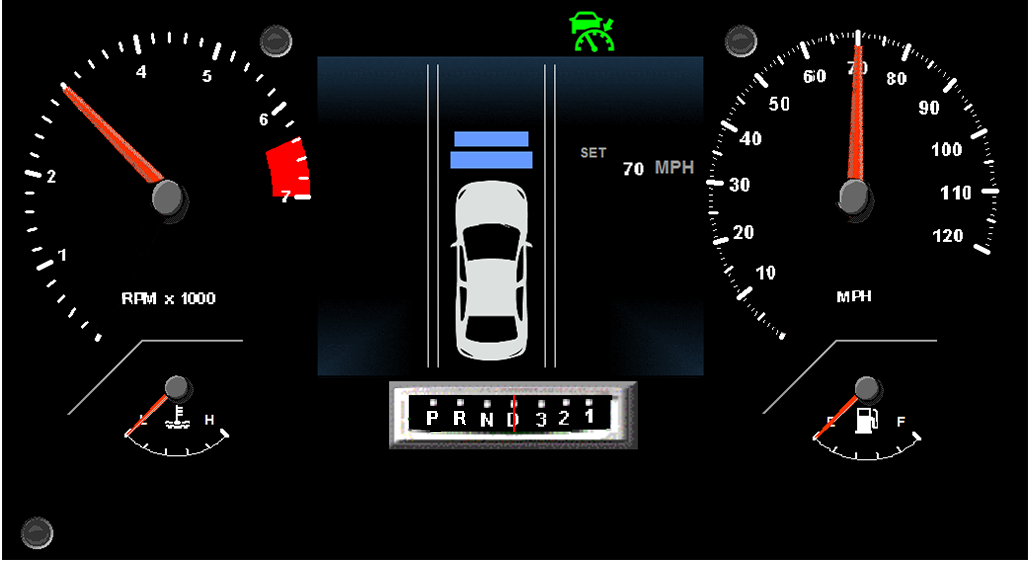
NOTE: Many ACC systems allow for various following intervals. However, in our experiment there will only be one following interval option (medium distance). Therefore, you will not be required to select a following interval, and it will be selected for you automatically when you turn on the ACC.
If a vehicle is detected in front of you, a white vehicle icon will appear on the dashboard.
Adjusting the Vehicle Speed
To adjust your set cruising speed, press the RES/ACCEL or SET/COAST button. The RES/ACCEL button increases your speed. The SET/COAST button decreases your speed. Each time you press the button, your vehicle speeds up or slows down by about 1 mph.
During Operation
If a vehicle is detected in front of you when ACC is active, the system maintains, accelerates, or decelerates your vehicle’s speed to keep the set following interval from the vehicle in front of you.
You can temporarily speed up by pressing the gas pedal. While you press the pedal, ACC will stay on unless you cancel it. When you release the pedal, ACC will resume your set speed or a sufficient speed to maintain your set following interval.
Cancelling and Turning Off ACC
To deactivate ACC, press the CANCEL button or press down on the brake pedal. ACC will remain on but not active during this time. This means that ACC is not controlling your speed or following distance, but it is ready to be easily reactivated.
To reactivate ACC, simply press the RES/ACCEL button.
To turn the ACC off, press the “OFF” button the left hand-side of the steering wheel.